

How to Host an Action Room on Aksa (2026)
Hosting an Action Room means setting the tasks, inviting people, reviewing proof and keeping the group moving. The host's full job in Aksa - permissions, setup, invites, announcements and the agent's role.
Published October 2, 2026 · Updated October 22, 2026 · 7 min read
The short answer
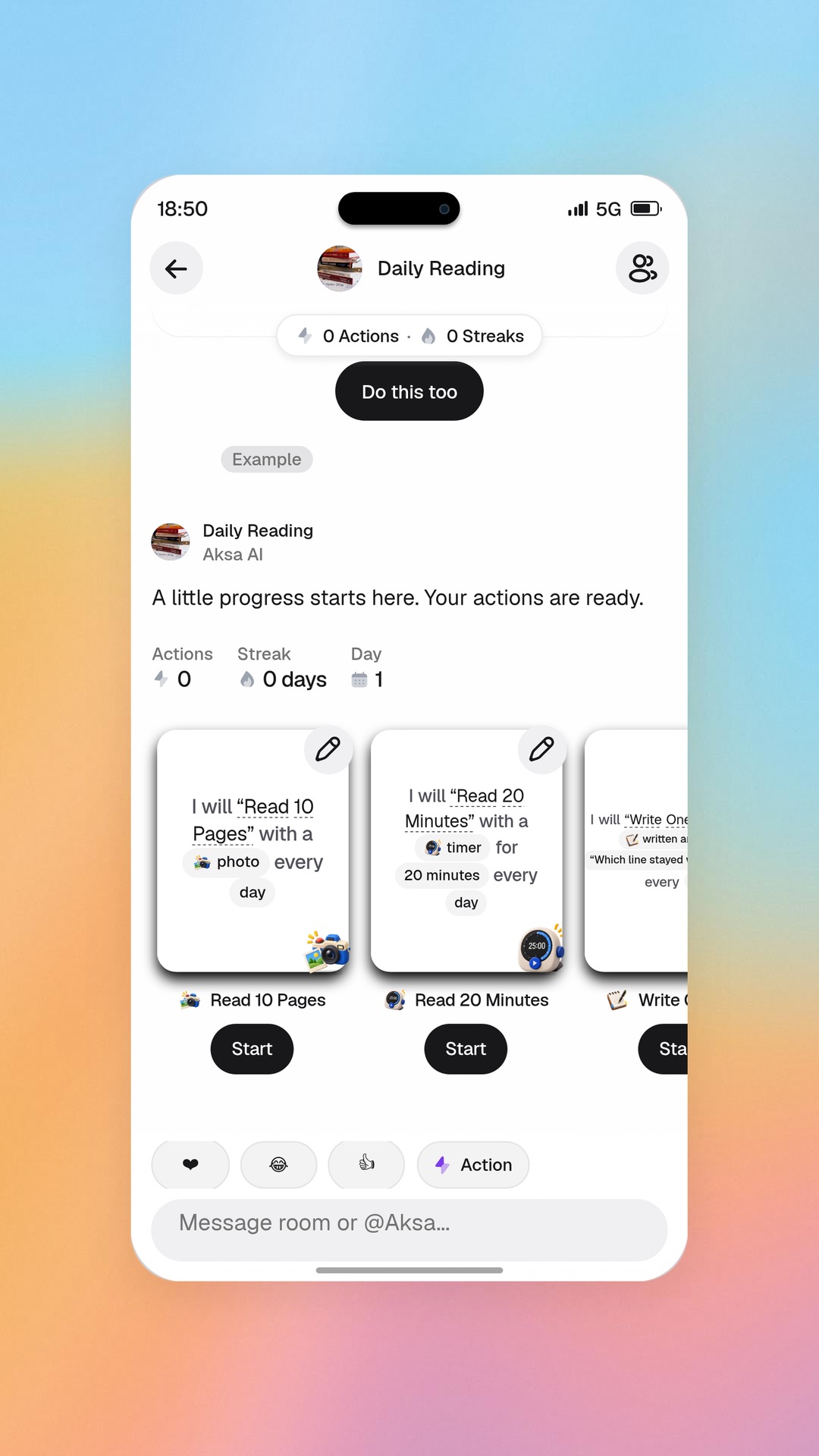
To host an Action Room on Aksa: create the room, set the title and tasks, add resources, invite members, and review their submissions. The host is the only person who can edit room content - members view, submit proof, chat and react.
Aksa is a social platform with an AI agent, and the room is its core unit. Hosting one is closer to running a good group chat than running a program: a clear task list, visible proof, and steady rhythm beat elaborate structure.
What the host controls
A host can edit the room's title, description, cover photo, milestone tasks and resources. The host also curates the action list, reviews member submissions, posts broadcast announcements and manages members. Room settings (identity, membership) and action settings (the tasks) are split into two dedicated surfaces, so changing the room never endangers the plan.
Members can view the checklist and resources, submit daily proof, chat and react - but they cannot edit or delete room content. That boundary is what keeps a 20-person room coherent: one editor, many contributors.
The split is deliberate. Accountability groups fail when the task list drifts mid-challenge - someone edits the standard downward and the room's meaning dissolves. Host-only editing keeps the bar where the group agreed to put it.
Setting up: the decisions that matter
Title and cover set the room's identity - specific beats inspirational. '5:30 Club - October' outperforms 'Morning Warriors' because it tells members exactly what they joined and when it ends.
Milestone tasks are the room's spine. Write them as provable actions, not aspirations: 'post a photo of today's run' is reviewable; 'get fitter' is not. Each task should map to a proof format - photo, counter, timer, check-in or confirm - so 'done' has an artifact.
Resources carry the shared material: the plan, the links, the guide. Keep it short - a room's resources section is reference, not curriculum. If members need 40 minutes of reading to start day one, day one never happens.
The first week sets the culture
Everything about a room's long-term behavior is decided in its first seven days. If proofs get reactions in week one, members learn that posting is seen. If the host announces a milestone on day five, members learn the room is going somewhere. If nothing happens when someone skips, members learn skipping is free.
So front-load your attention. Post your own proof first, every day of week one - the host's streak is the room's tempo setter. React to every proof in the early days, even briefly; you are training the room's response reflex, and it will not need you forever.
And name the norm explicitly in one early announcement: what proof is expected, how often, and what the room does when someone goes quiet. Rooms with stated norms enforce them socially; rooms without them have awkward silences where norms should be.
Inviting members
Invite your connections directly or copy the room's invite link. People who join through it enter your shared room - and when you set the room up, the host's own goal converts to group mode, so everyone lands in the same place working the same tasks.
Size honestly. Two to eight members is the sweet spot for accountability: large enough that someone is always active, small enough that a quiet member is visible. Past twenty, rooms drift toward audience - and audiences watch instead of witness.
Invite for commitment, not politeness. The friend who will actually post proof daily is worth ten who join to be supportive. You can always grow a working room; reviving a stalled one is much harder.
Reviewing proof and keeping the group moving
The Progress tab is the host's dashboard: the member heatmap and completion history show every member's pattern at a glance. Check it daily - your job is not policing, it is noticing. The member whose cells went empty this week needs a nudge today, not a summary next month.
Use broadcast announcements for changes: a task adjustment, a milestone reached, a schedule note. Members are notified of room events, including chat and completed milestones, so announcements land where attention already is.
And the heaviest lifting is not yours: in rooms, the Action agent plans daily actions and posts updates. The host sets direction and standards; the agent keeps the daily machinery running between your check-ins.
Host versus member: the permission split in practice
The cleanest way to think about the split: members own their own effort, the host owns the shared structure. A member's world is the checklist, their proof, and the chat; the host's world is everything that must stay true for all of them - the tasks, the standard, the membership.
This also protects the host socially. When a task is hard, members negotiate with the host rather than quietly editing the standard - the friction is visible, and visible negotiation is healthy. Rooms where anyone can edit anything do not have standards; they have weather.
For bigger rooms, the split keeps the group legible: new members read one authoritative task list instead of archaeology. One editor, many contributors, zero ambiguity about which is which.
Room types hosts actually run
The challenge room: a fixed window (two to four weeks), one shared task, a clear finish. Easiest to fill, easiest to end well - and the best first room for a new host, because the scope forces focus.
The practice room: an ongoing group around a craft - writing, training, building - where tasks rotate monthly by host decision. Harder to run, more durable: the room becomes infrastructure in members' weeks.
The cohort room: a group moving through the same material on the same schedule - a course, a book, a certification. The milestone deck does the pacing; the host's job is keeping stragglers visible before they vanish.
Pick one shape before you invite anyone. Rooms that try to be all three end up with a task list that serves none - and the task list is the room.
The host's weekly rhythm
- Daily (one minute): glance at the heatmap - who posted proof, whose cells are emptying.
- As it happens: react to proofs - host reactions set the room's response culture.
- Weekly: one announcement - what the room completed, what next week holds.
- At milestones: mark them publicly; completed milestones notify the room and are the group's shared wins.
- Continuously: keep tasks provable and current - retire anything the room has quietly stopped doing.
Common hosting mistakes
Overbuilding: twelve milestone tasks, a resource library, a ruleset. Rooms die under their own scaffolding - start with three tasks and add only when the room asks.
Under-inviting: launching with two members who were half-committed. A room's culture is set in week one by whoever actually posts; recruit the posters first.
Silent hosting: reviewing the heatmap but never reacting or announcing. Members calibrate to the host's attention - a host who visibly notices proof gets more of it.
Editing the standard mid-challenge: lowering a task because the room is struggling teaches the room that tasks are negotiable. Add an easier parallel task instead of rewriting the agreed one.
FAQ
How do I host an Action Room?
Create the room, set the title and milestone tasks, add resources, invite members via connections or the invite link, and review submissions from the Progress tab. When you set the room up, your own goal converts to group mode so everyone works the same tasks in one room.
What can a host edit?
The room's title, description, cover photo, milestone tasks and resources. The host also curates the action list, reviews member submissions, posts broadcast announcements and manages members. Members cannot edit or delete room content - they view, submit proof, chat and react.
Can members edit tasks?
No. Only the host edits room content - that boundary keeps the agreed standard from drifting mid-challenge. Members focus on execution: viewing the checklist, submitting daily proof, and the chat.
How many people should I invite to a room?
Two to eight for accountability: large enough that someone is always active, small enough that a quiet member is visible. Past twenty, rooms become audiences - people watch instead of witness. Invite the friends who will actually post proof daily, not everyone who might be supportive.
What does the Action agent do in a room?
It plans the daily actions and posts updates - the daily machinery between the host's decisions. The host sets direction, standards and culture; the agent keeps tomorrow's action ready for every member without the host writing it nightly.
How do I revive a room that went quiet?
Shrink before you announce: cut the task list to one small provable action, then post an announcement naming the restart plainly, and post your own proof first that day. Rooms revive when the host models the return, not when the host exhorts it. If two restarts fail, close the room honestly and start a tighter one with the two members who showed up.
Do room members get notified about activity?
Yes - members are notified of room events, including chat and completed milestones, with push for room events. That notification layer is what lets a host run a room in minutes a day: the room reaches members; the host does not have to chase them.